

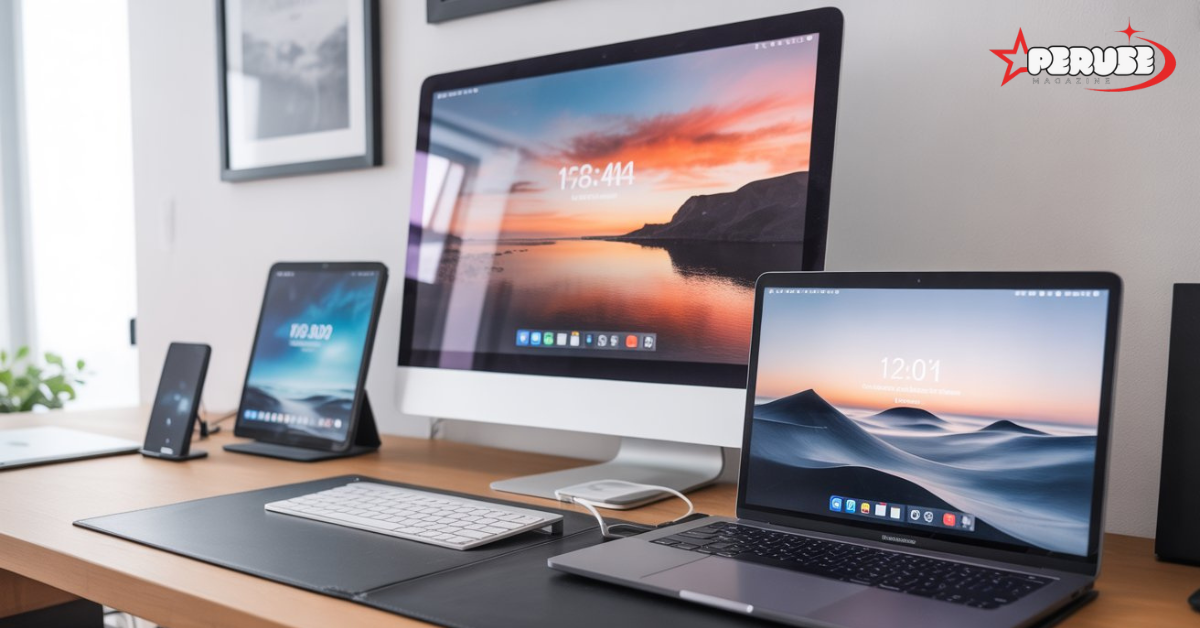
If you’re hunting for a reliable wallpaper platform that delivers more than just pretty pictures, Wallapix has likely appeared on your radar. This digital imagery hub has carved out a reputation among designers, marketers, and everyday users who need high-quality background images without the licensing headaches. But what exactly makes Wallapix different from the dozens of other stock photo sites? And more importantly, is it worth your time?
This guide walks you through everything you need to know about Wallapix how it works, what you get for free, where it stumbles, and how to squeeze maximum value from its visual content library. Whether you’re a creative professional building client presentations or someone who simply wants fresh mobile wallpapers every week, you’ll find practical answers here.
What Is Wallapix and How Does It Work?
Wallapix positions itself as a curated photography collection built specifically for background assets. Unlike sprawling stock photo marketplaces that cover every conceivable subject, Wallapix narrows its focus to images that work as wallpapers, website backgrounds, presentation slides, and digital signage visuals.
Understanding the Wallapix Platform
At its core, Wallapix operates as a background asset manager. You search, preview, filter, and download images optimized for screen-based use. The platform emphasizes aesthetic cohesion photos aren’t just tagged randomly but grouped into thematic collections that designers actually use. Think “minimalist office backdrops,” “cyberpunk neon gradients,” or “subtle texture overlays” rather than generic categories like “nature” or “business.”
Core Concept: Curated Digital Imagery Hub
The curation model is Wallapix’s main selling point. Instead of millions of mediocre uploads, you get thousands of vetted images. Each submission undergoes quality checks for resolution, composition, and color accuracy. This approach saves time. You don’t wade through 500 versions of the same sunset you get the three best ones, available in multiple resolutions.
Who Should Use Wallapix?
Designers appreciate the royalty-free backgrounds with clear licensing. Marketers use the aesthetic wallpaper library for consistent brand visuals across campaigns. Developers tap the API for dynamic background generation in apps. Everyday users enjoy the straightforward wallapix app download experience for personal device customization.
Wallapix Features Breakdown: Free vs Premium
The feature split between free and paid tiers determines whether Wallapix fits your workflow. Let’s examine the practical differences.
HD Background Images Library and Search Functionality
Free users access the entire HD background images catalog with standard search filters. You can filter by color, orientation, and basic tags. Premium unlocks advanced filters: dominant color hex codes, aspect ratio presets (16:9, 21:9, 4:3), and exclusion tags to remove unwanted styles. The search engine also prioritizes premium users’ queries, returning results 2-3x faster during peak traffic.
4K Resolution Downloads and Quality Standards
Here’s where the paywall becomes noticeable. Free accounts can download up to 1920×1080 resolution—fine for most laptops and phones. Premium members get 4K resolution downloads (3840×2160) and original file sizes up to 8K for select collections. If you’re designing for large displays or need cropping flexibility, this matters. The platform maintains strict quality standards: all 4K images undergo noise reduction and chromatic aberration correction before publication.
Wallpaper Customization Tools Built Into the Platform
Wallapix includes basic customization tools directly in the browser. You can adjust brightness, apply subtle blur effects, or overlay gradients before downloading. These tools work on both tiers, but premium adds batch processing edit twenty images with the same settings simultaneously. For agencies producing themed collections, this shaves hours off repetitive work.
Aesthetic Wallpaper Library Organization and Tagging System
The tagging system reflects how creatives actually think. Beyond standard keywords, images carry mood tags (“calming,” “energetic”), usage tags (“header background,” “mobile lock screen”), and technical tags (“bokeh,” “low poly”). Premium users can create private collections with custom tags, essentially building their own background asset manager within the platform.
Royalty-Free Backgrounds Licensing Explained
All Wallapix images fall under a royalty-free license. Free users must provide attribution when using images commercially a small credit line suffices. Premium attribution is optional. Neither tier requires per-use fees, even for client work. However, redistribution (selling the images themselves) remains prohibited. Read the full license; it’s refreshingly straightforward compared to rights-managed alternatives.
How to Use Wallapix: Step-by-Step Tutorial
Getting started with Wallapix takes under five minutes. This tutorial assumes you’re starting from scratch.
Creating Your Wallapix Account and Setting Preferences
Visit the Wallapix homepage and click “Sign Up.” You can register via email or Google account. Immediately after registration, navigate to Preferences. Set your default download resolution—this saves clicks later. Select three favorite collections to seed your recommendation algorithm. Choose your primary use case (personal, commercial, or educational) so the platform surfaces relevant licensing information.
Navigating the Visual Content Library Effectively
The homepage displays featured collections, trending tags, and recent additions. Use the persistent search bar at the top. Start broad (“abstract blue”), then refine. The sidebar shows filter options: orientation, color, resolution, and collection. Pro tip: click the color palette icon to select an exact hex code from your brand guidelines. The visual content library updates in real-time as you filter, no page reloads.
Filtering by Color, Theme, Resolution, and Aspect Ratio
Color filtering offers three modes: similar (images containing your selected color), dominant (images where that color covers >40% of the area), and accent (images with small pops of the color). Theme filters include “textures,” “patterns,” “landscapes,” and “gradients.” Resolution filter lets you specify minimum dimensions crucial when you need a 4K wallpaper for a 32-inch monitor. Aspect ratio presets cover every common screen size, including ultrawide 21:9 and vertical 9:16 for mobile wallpapers.
Downloading and Managing Your Background Asset Collections
When you find an image, click to open the detail view. Here you’ll see download options: select your resolution, then hit “Download.” Premium users see a “Add to Collection” button. Create collections like “Client X Presentations” or “Personal Phone Backgrounds.” Free users can favorite images but can’t organize them into multiple collections. Download history tracks every file, making it easy to re-download lost assets without searching again.
Uploading and Contributing Your Own Photography Collections
Wallapix accepts contributor submissions. Click “Upload” in your profile menu. Images must meet minimum quality standards: 3000px on the short side, proper exposure, no heavy compression artifacts. Tag your uploads thoroughly good tagging directly impacts how often your images appear in searches. Contributors earn credits toward premium subscriptions based on download volume. It’s not a cash payout, but active photographers can effectively use Wallapix for free indefinitely.
Wallapix Download and Platform Availability
Understanding where and how to access Wallapix prevents frustration. The ecosystem spans multiple platforms, each with slight variations.
Wallapix App Download for Android and iOS
The mobile apps mirror the website’s core functionality but add device-specific features. On Android, the app can automatically set downloaded images as wallpapers. iOS users get Shortcuts integration for automated background rotation. Search “wallapix app download” in the Play Store or App Store—watch for copycat apps with similar names. The official app developer is “Wallapix Inc.” and carries a blue checkmark.
Installing Wallapix on Windows and Mac Desktop
Desktop users don’t need a traditional install. Wallapix runs as a progressive web app (PWA). Visit the site in Chrome or Edge, click the install icon in the address bar, and it behaves like native software. This PWA approach means updates deploy instantly no manual version checks. For Mac users, the PWA integrates with Finder and supports drag-and-drop directly into design tools like Figma or Sketch.
Browser Extension Functionality and Setup
The Chrome and Firefox extensions add a right-click context menu: “Search Wallapix for similar images.” This reverse search helps find higher-resolution versions of images you discover elsewhere. The extension also adds a subtle toolbar button showing your daily download count if you’re on the free tier useful for pacing usage.
Wallapix for Tablet Devices and Syncing Across Platforms
Tablet optimization focuses on landscape browsing. Collections sync across all devices via your account. Start a search on your laptop, favorite an image, and it appears on your phone’s favorites list within seconds. The sync includes your filter preferences and custom tags. This unified background asset manager experience means you’re never rebuilding your workflow on a new device.
Wallapix Pricing Plans: Is Wallapix Free?
The free tier’s limitations surprise many users. Let’s break down the numbers and use cases.
Free Tier Limitations and Daily Download Caps
Free accounts get 10 downloads per day at 1080p max. That sounds generous until you’re batch-downloading for a client project. The daily cap resets at midnight UTC, not your local time. You cannot download the same image twice without it counting against your limit a pain if you accidentally delete a file. Commercial use requires attribution, which can clutter professional presentations.
Wallapix Pro Version Features and Benefits
Pro costs $9/month or $72/year. Daily downloads jump to 100, and resolution unlocks 4K and above. The batch processing tool alone justifies the cost for frequent users. Pro also enables private collections and custom tags. Perhaps most valuable: priority support with sub-24-hour response times. For design agencies, the Pro license covers an entire team five users share the same quota.
Premium Subscription: Unlimited Access and Exclusive Content
The Premium tier at $19/month removes all download limits. You get early access to new collections sometimes weeks before free users see them. Exclusive content includes photographer-partnered series you won’t find elsewhere. The API access key for automated downloads lives at this tier. If you’re building a product that pulls backgrounds dynamically, Premium is non-negotiable.
Wallapix Lifetime Deal and Discount Code Opportunities
Wallapix occasionally runs lifetime deals on AppSumo, typically around $149 for lifetime Pro access. These deals include all future feature updates but may exclude certain premium content series. Discount codes surface on design community forums and during Black Friday sales usually 30% off annual plans. Stack these strategically.
Business Use Licensing and Team Plans
Business plans start at $49/month for 10 users. Centralized billing, usage analytics, and a shared team collection that everyone can contribute to. The license explicitly covers client work attribution waivers—your clients don’t need to credit Wallapix. For marketing departments managing brand visuals across regions, this centralized background asset manager simplifies compliance.
Wallapix vs Competitors: Detailed Comparison
No platform exists in a vacuum. Here’s how Wallapix stacks up against the most mentioned alternatives.
Wallapix vs Unsplash for Wallpaper-Specific Needs
Unsplash offers quantity over 3 million images. Wallapix offers specificity. When you search “dark mode wallpaper” on Unsplash, you get 50,000 results of varying quality. Wallapix returns 200 perfectly suited options. For pure wallpaper hunting, Wallapix wins. For general stock photography needs, Unsplash’s breadth remains unmatched. The licensing is similar, though Unsplash’s legal language is more permissive for sensitive uses.
Wallapix vs Pexels: Content Quality and Curation
Pexels sits between Unsplash and Wallapix more curated than the former, less specialized than the latter. Pexels includes video, which Wallapix lacks. However, Wallapix’s color-accurate previews and aspect ratio filtering surpass Pexels’ basic search. Pexels offers unlimited free downloads without daily caps, making it better for budget-conscious heavy users who don’t mind less specialization.
Wallapix vs Pinterest: Search and Download Experience
Pinterest isn’t a download source it’s a discovery engine. You find inspiration, then hunt down the original source. Wallapix eliminates that friction. Everything is immediately downloadable in your required resolution. Pinterest’s advantage is social discovery and trend tracking. Use Pinterest to identify aesthetic trends, then Wallapix to source the actual backgrounds.
Best Wallpaper Apps Like Wallapix: Top 5 Alternatives
- Backdrops: Android-exclusive with community-driven collections. Free, but smaller library.
- Vellum: iOS-focused, premium handpicked images. $2.99 one-time, no daily limits.
- InterfaceLIFT: Long-standing wallpaper site with strict resolution standards. Free, dated UI.
- Artpip: Daily curated art as wallpapers. Subscription model, focuses on fine art.
- Zedge: Massive library but ad-heavy and quality varies wildly.
Each alternative serves a niche. None combine Wallapix’s curation, licensing clarity, and multi-platform sync.
When to Choose Wallapix Over General Stock Photo Sites
Choose Wallapix when your primary need is screen backgrounds. The filtering, resolution options, and attribution requirements align with that use case. If you need photos for print, editorial content, or product mockups, general stock sites offer more variety. Wallapix’s strength is depth in a narrow field, not breadth across all visual needs.
Advanced Wallapix Features Power Users Miss
Most users scratch the surface. These underutilized features separate casual browsers from power users.
API Access for Developers and Integration Options
The API (Premium only) returns JSON with image metadata and direct download links. Developers can query by dominant color, mood, or collection. A common integration: automatic daily wallpaper rotation on corporate digital signage. The API rate limit is generous 1,000 calls per hour enough for most SaaS products. Documentation is clean and includes webhook support for new collection alerts.
Batch Download and Collection Automation Tools
Beyond the editing batch processing, you can queue entire collections for download. Select “Download All” on a collection page, choose your resolution, and Wallapix packages everything into a ZIP file. For collections exceeding 100 images, the platform emails you a download link when the package is ready. This background asset manager capability is invaluable for rebranding projects requiring consistent visuals.
Custom Resolution Rendering for Ultrawide Monitors
Upload a custom aspect ratio preset in your profile. Have a 32:9 super ultrawide monitor? Define it once. Wallapix then crops and renders any image to that exact specification on download. The algorithm avoids faces and text, choosing the most visually stable crop area. This feature alone makes Wallapix the go-to for gamers and financial traders using exotic monitor setups.
Community Features and Photographer Profiles
Each photographer has a profile page showing their collections, total downloads, and upcoming releases. Follow your favorites to get notified of new work. The community tab includes forums where users request specific types of backgrounds. Photographers often fulfill these requests, creating a tight feedback loop. Contributing photographers can view analytics on which images perform best, helping them tailor future uploads.
Hidden Search Operators for Precise Results
Search supports operators like color:#FF5733 for exact hex matching, -keyword to exclude terms, and collection:name to search within a specific collection. Combine them: collection:minimalist color:#FFFFFF orientation:landscape. These operators aren’t documented on the main help page but appear in the API docs. Mastering them cuts search time by 70%.
Wallapix Supported Formats and Technical Specifications
Technical details matter when you’re dropping these images into professional workflows.
Image Format Options: JPG, PNG, WebP Explained
Wallapix stores originals as JPGs. Downloads offer JPG (smallest file size), PNG (lossless, transparent backgrounds), or WebP (modern compromise). For most wallpaper uses, JPG at 90% quality provides the best size-to-quality ratio. PNG matters when you need transparency for UI overlays. WebP shines on websites 30% smaller than JPG with equivalent quality.
Maximum Resolution and Aspect Ratios Available
The platform caps at 8K (7680×4320) for curated collections. User uploads max out at 4K. Aspect ratios span from 1:1 for profile backgrounds to 32:9 for ultrawide gaming monitors. Portrait modes include 9:16, 9:18, and even 1:2 for vertical signage. The custom ratio tool accepts any mathematically valid input.
Color Profile Standards (sRGB, AdobeRGB Coverage)
All images convert to sRGB for web consistency. If you need AdobeRGB or ProPhoto for print work, Wallapix isn’t your source. For screen use, sRGB is correct. The platform strips embedded ICC profiles to reduce file size, but the visual appearance remains accurate across devices due to standardization.
Compression Quality Settings and File Size Options
During download, choose compression level: Low (largest file, highest quality), Medium (balanced), or High (smallest file, slight quality loss). A typical 4K landscape at Low compression runs 8-12MB. At High, it drops to 2-3MB with barely perceptible differences on a monitor. For archiving, always choose Low. For immediate phone wallpaper use, High saves storage space.
Mobile vs Desktop Format Optimization
Wallapix automatically detects your device type and suggests appropriate resolutions. On mobile, it prioritizes vertical images and offers lock screen vs home screen previews. Desktop users see horizontal previews with common UI element overlays (taskbar, dock) to simulate real-world appearance. This context-aware preview reduces download-and-test cycles.
Real-World Use Cases and Applications
Theory means little without practical examples. Here’s how professionals integrate Wallapix into real workflows.
Using Wallapix for Brand Consistency in Marketing Materials
A marketing agency I work with maintains a private Wallapix collection named “Brand Campaign 2024.” Every image uses our exact brand colors, filtered by hex code. Team members download backgrounds for social posts, presentation decks, and website banners. The result? Visual consistency across 50+ campaign assets without hiring a photographer for every piece.
Digital Signage and Presentation Background Strategies
Conference rooms need fresh backgrounds that don’t distract. I create collections like “Corporate Neutral” and schedule monthly updates. The digital signage API pulls a new background every Monday morning. Attendees subconsciously notice the freshness, but the consistency maintains professionalism. For presentations, I download 16:9 backgrounds with low saturation text remains readable.
Personal Device Customization Workflows
My phone automatically cycles through a Wallapix collection called “Weekly Rotation.” Using iOS Shortcuts and the Wallapix API, it fetches a new image every Sunday night. My iPad and MacBook sync to different collections, so each device feels distinct yet aesthetically connected. This setup took 30 minutes to build and eliminates manual wallpaper hunting.
Social Media Content Creation with Wallapix Assets
Instagram carousels need cohesive backgrounds. I download 10 images from a single Wallapix collection, edit text overlays in Canva, and publish. The collection’s inherent color harmony makes the carousel feel professional. Since Wallapix images are royalty-free, I skip attribution on client accounts (covered under their Premium plan), streamlining post captions.
Website Design and Hero Image Implementation
Web designers face a constant need for fresh hero images. I build websites using Wallapix backgrounds pulled via API. The client’s CMS stores the image ID, not the file. When they want a change, I swap the ID in seconds no re-uploading or CDN purging. This background asset manager approach keeps sites looking current with minimal maintenance.
Troubleshooting Common Wallapix Issues
Even the best platforms have friction points. Here are solutions to the most frequent problems.
Download Failures and Account Limit Errors
If downloads fail mid-way, check your daily cap in the account menu. The error message is vague “Download Unavailable” but the cause is almost always hitting your limit. The counter doesn’t reset at local midnight; it’s UTC. Wait, upgrade, or contact support if you believe the count is wrong. Browser extensions that block tracking scripts can also interfere whitelist Wallapix.
Image Quality Problems and Resolution Mismatch Fixes
Downloaded image looks blurry? You likely selected the wrong resolution. Re-download at the next highest size. If the original is blurry, report it quality control is strict, but exceptions slip through. For mismatched aspect ratios, use the custom crop tool before downloading, not after. Post-download cropping often cuts important elements because you can’t see the crop preview.
Sync Problems Across Multiple Devices
Collections not syncing? Force a manual sync in Settings > Sync Status. Logout and log back in on all devices to refresh tokens. If one device shows outdated collections, clear its local cache (Settings > Storage > Clear Cache). The sync engine uses a last-write-wins model, so simultaneous edits on different devices can cause conflicts edit collections on one device at a time.
Licensing Questions and Attribution Requirements
Commercial use attribution is simple: “Image via Wallapix” with a link to the image page. For client work, ask if their Premium plan covers attribution-free use most do. Print use is allowed, but the sRGB color space may need conversion. When in doubt, email support with your specific use case; they respond with clear yes/no guidance within a day.
Performance Optimization for Slow Loading Times
Search feels sluggish? Disable browser VPNs the routing conflicts with Wallapix’s CDN. The platform uses Cloudflare, so your geographic location shouldn’t impact speed. If images load slowly, switch from WebP to JPG format some corporate networks aggressively filter WebP traffic. Clear cookies if the site hangs on search; corrupted cookies cause infinite loading loops.
Wallapix Review 2024: Final Verdict
After six months of daily use across personal and client projects, Wallapix earns its place in my toolkit but with caveats.
Who Benefits Most from Wallapix Premium?
Design agencies, social media managers, and digital signage operators should subscribe without hesitation. The batch tools, API access, and team licensing pay for themselves in saved hours. Casual users who change phone backgrounds monthly? Stick with free. The 10 daily downloads provide more than enough variety.
Platform Strengths and Weaknesses Summary
Strengths: Unmatched curation quality, precise filtering, clear licensing, excellent API, and cross-platform sync that works flawlessly. The custom resolution tool is a killer feature for ultrawide users.
Weaknesses: Free tier caps feel restrictive for power users, no video content, and the sRGB-only policy limits print applications. Search operators need better documentation.
Future Roadmap and Feature Expectations
Wallapix’s development roadmap (shared in their community forum) includes video backgrounds for live wallpapers, integration with design tools like Figma, and AI-powered color palette extraction. No announced plans for print-ready color profiles, reinforcing their screen-first focus. If they maintain curation quality while expanding format support, they’ll remain the wallpaper platform of choice.
Frequently Asked Questions
Is Wallapix safe to download from?
Yes. All images are scanned for malware and embedded threats. The platform serves files directly from its CDN, no third-party redirects. No reported security incidents or bundled software in downloads.
Can I use Wallapix images for commercial projects?
Absolutely, with attribution for free users. Premium users get attribution-free use. The license prohibits reselling images themselves but permits use in client work, marketing materials, and products where the image is a component, not the product.
How many wallpapers can I download for free on Wallapix?
10 per day at 1080p resolution. No monthly cap, just the daily limit. Downloads reset at 00:00 UTC. If you hit the cap, you can still browse and favorite images for later.
Does Wallapix offer animated or live wallpapers?
Not currently. The platform focuses on static images. Animated wallpapers appear on their 2025 roadmap. For now, use video-to-live-photo converters if you need motion.
What makes Wallapix different from Google Images?
Google Images indexes everything from everywhere with inconsistent licensing. Wallapix offers vetted, royalty-free backgrounds with clear usage rights and advanced filtering designed specifically for wallpaper needs. No legal ambiguity, no low-resolution upscaling.
How often does Wallapix add new wallpaper collections?
New collections drop weekly, typically on Tuesdays. Major themed collections (e.g., “Holiday 2024”) launch monthly. The “New” filter shows images added in the last 24 hours, 7 days, or 30 days.
Wallapix succeeds because it knows its niche and serves it deeply. It’s not trying to be Unsplash; it’s trying to be the best background asset manager available. For anyone whose work depends on consistent, high-quality screen visuals, that specialization delivers tangible value. Try the free tier, test the search and download flow, and upgrade only if your workflow demands it. The platform respects your time and intelligence a rarity in an era of feature-bloat and ambiguous licensing.