

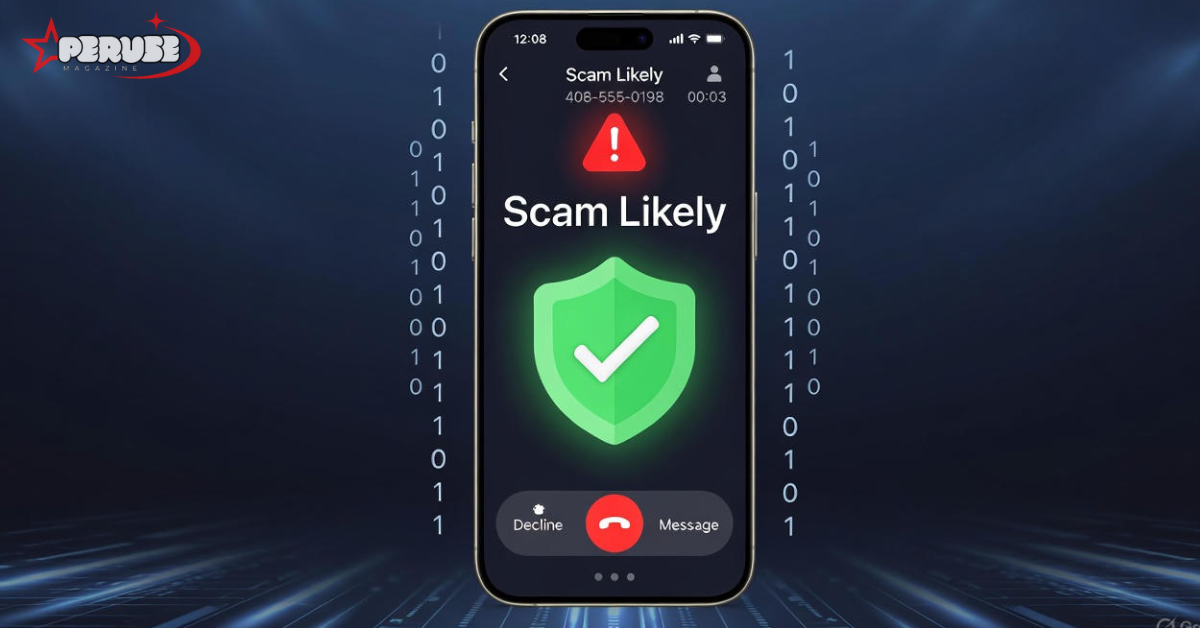
If your phone has ever displayed “scam likely” during an incoming call, you’ve witnessed modern carrier technology protecting you from potential fraud. This warning appears when your mobile provider’s detection systems identify suspicious calling patterns, numbers with reported fraud history, or other risk indicators. Understanding what scam likely means and more importantly, how to respond when you see it has become essential for phone security in an era where billions of spam calls target consumers monthly. These warnings represent a collaborative effort between carriers, regulatory bodies, and technology vendors to combat the escalating threat of phone-based fraud.
What “Scam Likely” Means on Your Phone
The Carrier Warning System Explained
When you see “scam likely” on your caller ID, your phone carrier has flagged that number as potentially fraudulent. Different carriers use slightly different terminology. T-Mobile uses “Scam Likely,” AT&T displays “Spam Risk,” while Verizon and US Cellular show “Potential Spam.” All serve the same purpose: warning you before you answer.
These systems analyze massive datasets of call patterns, user reports, and fraud intelligence. Machine learning algorithms process call frequency, duration, origin, and connection success rates. A number making 10,000 calls per hour with 95% non-answers triggers red flags. Numbers with previous fraud reports automatically enter watchlists. The system isn’t perfect legitimate businesses sometimes get mislabeled—but the accuracy rate exceeds 90% for clear-cut fraud cases.
The Technology Behind Scam Detection
STIR/SHAKEN protocols form the technical backbone of modern call authentication. STIR (Secure Telephony Identity Revisited) creates a digital certificate verifying the caller’s identity. SHAKEN (Signature-based Handling of Asserted information using toKENs) manages how carriers exchange these certificates across networks. Together, they create a trust framework that makes spoofing more difficult.
Behavioral analytics complement this by examining call patterns in real-time. The system looks for robocall signatures pre-recorded message detection, dual-tone multi-frequency patterns, and speech cadence anomalies. It also tracks call frequency patterns. A legitimate business might call 100 customers daily, but they’ll answer. A scam operation calls 10,000 random numbers with 98% going to voicemail.
Community reporting adds another layer. When users flag numbers as spam, carriers aggregate this data. If 500 people report a number in 48 hours, it gets blocked network-wide. This crowdsourced intelligence catches new scam campaigns before they can scale.
Why You’re Getting Scam Likely Calls
How Scammers Obtain Your Phone Number
Your number appears on scam call lists through multiple channels. Data breaches expose millions of phone numbers annually. When a retailer, healthcare provider, or social media platform gets hacked, your contact information sells on dark web markets for fractions of a penny.
People-search sites compile your data from public records, property deeds, and voter registrations. These sites legally sell access to anyone willing to pay. Scammers harvest these databases systematically.
Social media oversharing makes you vulnerable. Posting your number on Facebook marketplace listings, business profiles, or public forums exposes it to scrapers. Once listed, it circulates indefinitely.
Random digit dialing still happens, though less frequently. Auto-dialers generate number sequences sequentially, calling every possible combination in an area code. If you answer, even accidentally, they mark your number as “active” and sell it to other scammers. This single action can increase your call volume tenfold.
Why Scam Calls Have Exploded in Recent Years
Voice over Internet Protocol (VoIP) technology lets scammers call globally for nearly nothing. A single operator in another country can launch campaigns targeting millions of US numbers daily, costing pennies per call. Traditional phone network restrictions don’t apply.
International routing complicates law enforcement. Calls bounce through multiple countries, masking origins. Even when investigators trace the source, foreign jurisdictions rarely cooperate.
The economics favor scammers. If a $50,000 campaign reaches 5 million people and only 0.1% fall for a $500 scam, that’s $2.5 million in profit. This massive ROI fuels continuous innovation in scam techniques.
Spoofing technology has evolved. Scammers now use neighbor spoofing, matching your area code and prefix—to increase answer rates. They also spoof legitimate business numbers, making callbacks appear authentic.
Types of Calls Flagged as “Scam Likely”
Automated Call Categories
Legal robocalls exist but still trigger warnings. Political campaigns, charities, and healthcare appointment reminders are permitted. However, their high-volume, automated nature triggers spam detection. The algorithm can’t distinguish legal intent from illegal intent based solely on call patterns.
Illegal robocalls represent the majority of scam likely flags. These use pre-recorded messages for phishing, fake debt collection, and fraudulent sales. Recent FCC rulings made AI-generated robocalls explicitly illegal, but enforcement remains challenging across borders.
Telemarketing calls from legitimate companies can get flagged if they exceed frequency thresholds. A business calling past customers weekly might trigger warnings, even though they have permission. This creates tension between consumer protection and business communication needs.
Impersonation and Social Engineering Scams
Government impersonation scams top the danger list. Callers claim to be IRS agents, Social Security Administration officials, or Medicare representatives. They create urgency with threats of arrest, benefit suspension, or legal action. Real agencies never demand payment via phone calls.
Tech support scams target vulnerable demographics. The caller claims your computer has viruses or your account was hacked. They request remote access to “fix” non-existent problems, installing malware or stealing data in the process.
Bank fraud scams spoof your financial institution’s number. They’ll cite “suspicious transactions” and request account verification. They already have some personal data from breaches, making them sound credible. Hang up and call your bank directly using the number on your card.
Telemarketing and Sales Scams
Car warranty scams have plagued consumers for years. Callers claim your warranty is expiring on a vehicle you’ve never owned. They harvest credit card info for “renewal fees” that turn into recurring charges.
Medicare supplement scams prey on seniors, offering free equipment or additional benefits. They collect Social Security numbers and Medicare IDs for identity theft, billing fraud, or worse.
Investment scams promise guaranteed returns in cryptocurrency, forex trading, or precious metals. They start with small deposits, showing fake account growth to encourage larger transfers. When you attempt withdrawals, they vanish.
How to Block Scam Likely Calls by Device
iPhone Call Blocking Features
To block a number after receiving a Scam Likely call, open the Phone app, tap Recents, tap the “i” next to the number, scroll down, and select “Block this Caller.” This prevents future calls and texts from that specific number. However, scammers change numbers constantly, so individual blocking provides limited protection.
Enable “Silence Unknown Callers” for broader protection. Go to Settings > Phone > Silence Unknown Callers and toggle it on. Calls from numbers not in your contacts go straight to voicemail. Your phone won’t ring, but legitimate calls can still leave messages. Check voicemail regularly to avoid missing important contacts.
Customize Do Not Disturb for layered protection. Set it to allow calls only from your favorites or repeated calls within three minutes. This catches genuine emergencies while blocking mass-dialing operations.
Third-party apps integrate with iOS CallKit framework, providing enhanced protection without jailbreaking. These maintain their own databases and can identify spoofed numbers that Apple’s built-in systems miss.
Android Call Blocking Features
On stock Android (Pixel, many Motorola models), open the Phone app, tap Recents, press and hold the suspicious number, then select “Block/report spam.” Confirming the report helps Google’s system improve for all users.
Samsung devices require a different path. Open Phone app, go to Recents, tap the number, select the information icon, then tap “Block.” Samsung’s Smart Call feature, when enabled, can identify potential spam before you answer.
Enable Caller ID & Spam protection in your Phone app settings. Tap the three dots, go to Settings > Caller ID & spam, then turn on “See caller and spam ID” and “Filter spam calls.” This provides real-time warnings without manual blocking.
Google Phone app users benefit from Google’s massive spam database, updated continuously from reported calls. The system learns your calling patterns over time, reducing false positives for numbers you frequently contact
Carrier-Specific Scam Blocking Solutions
T-Mobile Scam Shield
T-Mobile includes Scam ID and Scam Block free for all customers. Scam ID identifies suspected scam calls and displays “Scam Likely.” Scam Block automatically prevents these calls from ever reaching your phone. Activate it by dialing #662# and pressing call.
Scam Shield app offers premium features for $4/month. This includes caller verification, category-based blocking (telemarketers, political, survey), and the ability to report incorrectly flagged numbers. The app shows a call history of blocked attempts, providing transparency.
T-Mobile’s system uses First Orion’s analytics engine, analyzing over 1 billion calls daily. The system updates every six minutes, responding rapidly to new scam campaigns. Customers report up to 80% reduction in unwanted calls after enabling all features.
Verizon Call Filter
Verizon provides Call Filter Free, which identifies spam and lets you report numbers. Call Filter Plus costs $3.99/month per line and adds personal block lists, spam lookup for unknown numbers, and enhanced caller details.
The service uses TNS Call Guardian technology, analyzing network-level traffic patterns unique to Verizon’s infrastructure. This provides carrier-specific insights that third-party apps cannot access.
Verizon also offers Call Filter for businesses, helping legitimate companies avoid mislabeling through verified business calling programs. This registers your number as legitimate, reducing false positive rates.
AT&T ActiveArmor
AT&T ActiveArmor (formerly Call Protect) comes in free and premium versions. The free version provides automatic fraud blocking and spam warnings. Premium adds reverse number lookup, caller ID for unknown numbers, and custom block lists for $3.99/month.
ActiveArmor uses Hiya’s detection engine, integrated directly into AT&T’s network. The system blocks calls at the network edge before they traverse the carrier’s infrastructure, reducing latency and missed calls from aggressive blocking.
AT&T business customers can register for Verified Business Calling, providing STIR/SHAKEN attestation for outbound calls. This prevents legitimate business communications from being flagged while maintaining consumer protection.
Third-Party Call Blocking Applications
How Third-Party Apps Work
These applications maintain independent databases of reported spam numbers, often larger than carrier databases. They combine reports from millions of users worldwide, creating crowd-sourced intelligence that updates in real-time.
When a call arrives, the app performs a lightning-fast lookup against its database. Advanced apps analyze the call’s audio fingerprint, detecting robocall patterns and pre-recorded message signatures even from unreported numbers.
Integration with native dialers means you see warnings directly on the incoming call screen, not in a separate app. This seamless experience encourages adoption and provides immediate value without workflow changes.
Leading Apps Reviewed
Hiya offers free basic spam detection and a premium version with caller ID and name lookup. Its database includes over 400 million known spam numbers, updated continuously. Hiya partners with carriers globally, giving it unique insights into international spam campaigns.
Truecaller excels with its 350 million user base, primarily outside the US. It identifies unknown numbers and provides business verification for legitimate calls. The SMS filtering feature blocks phishing texts, a growing threat vector. Some privacy concerns exist around contact list access.
RoboKiller uses answer bots to waste scammers’ time, recording conversations for entertainment and evidence. Its audio fingerprinting technology identifies scam calls by their audio patterns, not just numbers, catching spoofed calls more effectively. The subscription costs more than competitors but offers unique features.
Privacy trade-offs exist with all third-party apps. They require access to your call logs and sometimes contacts to function effectively. Review each app’s privacy policy carefully, as some share anonymized data with partners or advertisers.
The Regulatory Landscape and Industry Standards
STIR/SHAKEN Protocol Explained
STIR/SHAKEN creates a digital certificate chain for every call, verifying the caller’s authorization to use a specific number. Attestation Level A confirms the caller is known and authorized. Level B indicates the carrier knows the customer but can’t verify call authorization. Level C means the call entered the network from an unknown source.
Calls with Level C attestation face the highest blocking rates, as they represent the most likely spoofed sources. Legitimate businesses must work with carriers to achieve Level A attestation, ensuring delivery.
Implementation became mandatory for major US carriers in June 2021, but small rural carriers received extensions. This creates a loophole scammers exploit by routing calls through these less-regulated networks. Full universal implementation remains years away.
FCC and FTC Regulations
The Telephone Consumer Protection Act (TCPA) prohibits autodialed calls to mobile phones without explicit consent. Violators face $500-$1,500 penalties per call. The law allows consumer lawsuits, creating strong enforcement incentives.
The TRACED Act (2019) increased FCC authority, extending statute of limitations for robocall violations to four years and mandating STIR/SHAKEN implementation. It also requires carriers to offer free call-blocking options.
The Do Not Call Registry prevents legal telemarketing calls but cannot stop illegal scammers who ignore the list. Registration remains useful for reducing legitimate unwanted calls, freeing you to identify true scams more easily.
Recent FCC proposals include banning ringless voicemail and extending STIR/SHAKEN requirements to gateway providers who connect international calls to US networks. These changes would close significant loopholes in current protections.
Long-Term Strategies to Reduce Scam Calls
Minimizing Your Phone Number’s Digital Footprint
Remove your number from people-search sites like Whitepages, Spokeo, and Intelius. Each site has an opt-out process, typically requiring email verification. This is time-consuming but significantly reduces exposure. Services like DeleteMe automate this process but cost $10-15 monthly.
Use Google Voice or similar services for online shopping, classified ads, and non-essential signups. These numbers can be changed easily if compromised. Keep your primary mobile number private, only sharing with trusted contacts.
Audit social media privacy settings. Remove phone numbers from public profiles on Facebook, LinkedIn, and Twitter. Set profiles to friends-only and limit who can see contact information. Scraper bots harvest public data continuously.
Consider a secondary SIM card for business use if you run a company. This separates work calls from personal and allows you to implement stricter blocking on the business line without missing important personal contacts.
Proactive Monitoring and Alerts
Credit monitoring services from Experian, TransUnion, and Equifax include dark web scanning for phone number exposure. Set up alerts if your number appears in new breaches or on suspicious sites.
Norton 360 with LifeLock and similar identity protection services monitor your personal information across the internet. They alert you to exposures and guide remediation steps. While expensive ($10-30/month), they provide peace of mind.
Google Alerts can monitor for your phone number appearing online. Set up an alert for your number in quotes (“555-123-4567”) to receive notifications if it appears on new websites, indicating a breach or public posting.
Phone number reputation monitoring services exist specifically for businesses. These track how major carriers label your number and alert you if flagged as spam. Companies like NumberGarage and Phone Number Monitoring offer this specialized protection.
What to Do If You Answer a Scam Likely Call
Immediate Response Protocol
Hang up immediately without saying anything. Scammers mark active numbers based on any response, including “hello.” Even breathing confirms the line is active. Silence followed by disconnection reduces your value on scam lists.
Never say “yes” or press any buttons. Recordings of your voice saying affirmative words can be used to authorize fraudulent transactions through voice recognition systems. Pressing buttons confirms active participation.
If you engaged in conversation, don’t admit it was a mistake or apologize. Simply hang up. Any interaction, even explaining you’re not interested, confirms your number reaches a real person. Silence is the best strategy.
For suspicious voicemails, don’t call back numbers they provide. If the message claims to be your bank, use the number on your card. Scammers spoof legitimate institutions and provide callback numbers they control.
After the Call: Damage Assessment
If you shared any personal information, treat it as a data breach. Immediately change passwords for accounts using that information. Enable two-factor authentication everywhere possible, preferably using an authenticator app rather than SMS.
When financial information is compromised, contact your bank’s fraud department within 24 hours. They can place fraud alerts, monitor accounts, and potentially reverse unauthorized transactions. Consider freezing your credit with all three bureaus.
Report the incident to identitytheft.gov if you shared a Social Security number. The FTC provides a personalized recovery plan and pre-filled letters to send to creditors. This creates an official record, important for disputing fraudulent accounts.
Documenting and Reporting
Record the number, date, time, and what the caller claimed. This creates a paper trail for investigators. Screenshots of your call log provide visual evidence. Document any financial losses precisely.
Report to your carrier by calling customer service or using the spam reporting feature in your phone app. This helps them improve detection algorithms. Major carriers have dedicated fraud departments that investigate patterns.
File complaints with the FTC at reportfraud.ftc.gov and the FCC at consumercomplaints.fcc.gov. These agencies aggregate data to identify large-scale operations and build enforcement cases. Individual reports seem small but collectively drive action.
For Businesses: Why Legitimate Calls Get Flagged
Common Business Scenarios Leading to “Scam Likely”
High-volume outbound calling triggers spam detection even for legitimate purposes. Call centers making 100+ calls per employee daily exceed normal human calling patterns. Algorithms can’t distinguish between a telemarketing scam and a dental office confirming appointments.
New business phone numbers carry no reputation history. Carriers assign them neutral status, but high initial call volume gets flagged. A new insurance agency calling prospects experiences this despite complete legitimacy.
Shared numbers suffer from reputation bleed-over. If a previous business using your number was flagged, you inherit that reputation. Phone number recycling means your “new” number may have a checkered past.
Caller ID spoofing by scammers using your legitimate number causes flagging. When scammers spoof your business number for fraud, recipients report it. Those reports attach to your number, not the scammer’s actual number, causing mislabeling.
Preventing Your Business Number from Being Flagged
Register with carrier business programs. AT&T’s Verified Business Calling, Verizon’s Business Calling ID, and T-Mobile’s Business Scam Shield provide STIR/SHAKEN certificates. These programs authenticate your identity and reduce false positives.
Implement STIR/SHAKEN authentication through your business phone provider. This requires working with a carrier that supports enterprise-level attestation. The process involves identity verification and technical implementation, typically costing $20-50 monthly per number.
Follow best practices for outbound calling. Avoid calling before 9 AM or after 8 PM local time. Keep calls under 3 minutes when possible. Vary calling patterns rather than sequential dialing. Honor Do Not Call requests immediately.
Monitor your number’s reputation using free tools like Twilio’s Lookup API or paid services like NumberGarage. Check major carrier spam databases weekly. If flagged, contact your carrier’s business support with evidence of legitimate operations.
The Future of Phone Scam Prevention
Emerging Technologies
AI-powered voice analysis will soon monitor live call audio for scam indicators. Systems will detect stress patterns in your voice, signaling potential manipulation. They’ll identify keywords associated with scams in real-time and provide live warnings.
Biometric caller authentication may replace number-based identification. Your voiceprint, device fingerprint, or behavioral patterns could verify legitimate callers. This makes spoofing nearly impossible but raises significant privacy concerns.
Blockchain-based caller ID systems are in development. These would create an immutable record of number ownership and call authorization, preventing number hijacking. However, they require universal adoption across global carriers, a massive coordination challenge.
Enhanced STIR/SHAKEN standards will include international gateway verification. Proposed protocols would require foreign carriers to provide authentication certificates before calls enter US networks. This could eliminate the current international loophole.
Evolving Scam Tactics to Watch For
Deepfake voice technology will make impersonation scams nearly indistinguishable from real calls. AI can now clone voices from just three seconds of audio. Soon, scammers will call using the voice of your actual bank manager or family member.
SMS and “SMiShing” will integrate with phone scams. You’ll receive a text appearing to be from your bank, then immediately get a “follow-up call” from a spoofed number, making the scam more convincing through multi-channel coordination.
Social media platform call spoofing is beginning. Scammers already use compromised social accounts to gather information. They’ll soon spoof calls appearing to come from friends’ numbers, using personal details from social posts to build credibility.
AI chatbot scam calls will replace human scammers. Advanced language models can conduct convincing conversations, adapt to your responses, and scale infinitely. These systems work 24/7, don’t get tired, and eliminate the linguistic accents that currently betray foreign scam operations.
Frequently Asked Questions
Common Questions About Scam Likely Calls
Does answering a Scam Likely call make you get more?
Yes, absolutely. Answering confirms your number connects to a live person. Scammers sell “active number” lists at premium prices. Even hanging up immediately can be recorded as an answer. Let unknown calls go to voicemail consistently.
Can legitimate calls be mislabeled as Scam Likely?
Yes, this happens frequently. Doctors’ offices, schools, and businesses using high-volume calling often get flagged. The algorithm prioritizes consumer protection over business convenience. Legitimate callers should contact their carrier to register their number as a verified business line.
Why do I get Scam Likely calls from numbers in my area code?
This is called neighbor spoofing. Scammers spoof numbers matching your area code and prefix to appear local and trustworthy. They know you’re more likely to answer familiar-looking numbers. Your actual neighbor didn’t call, the scammers randomly generated a number that looks close to yours.
Is there a way to completely stop all scam calls permanently?
No system is 100% effective. Layered protection, carrier blocking, device settings, and third-party apps, reduces calls by 80-90%. Scammers continuously adapt, and new numbers appear daily. However, this combination makes you an unprofitable target, dramatically reducing volume over time.
What should seniors or vulnerable populations know?
Seniors face heightened risk due to isolation and trusting nature. They should enable maximum blocking on devices, never answer unknown calls, and establish a family code word for emergencies. Trusted contacts should review their phone settings and explain that legitimate organizations never demand payment by phone.
Conclusion: Key Takeaways for Protecting Yourself
Enable carrier blocking features immediately, all major US carriers offer free options. Dial #662# for T-Mobile, activate Call Filter in My Verizon app, or enable ActiveArmor through your AT&T account. These network-level blocks stop most scam calls before they reach you.
Configure device-level settings for comprehensive protection. iPhone users should enable Silence Unknown Callers. Android users should activate Caller ID & Spam protection. These complement carrier blocking and catch what slips through.
Reduce your number’s exposure where possible. Use alternate numbers for online forms, remove your information from data broker sites, and audit social media privacy settings. While you can’t eliminate all exposure, you can make yourself a harder target.
Know that layered protection works best. No single solution is perfect, but combining carrier tools, device settings, and cautious behavior reduces unwanted calls by over 90%. Stay informed about evolving tactics through consumer protection websites and carrier updates.
The scam likely warning represents a powerful tool in your security arsenal. Understanding what it means, why it appears, and how to combine it with other protections gives you control over your phone again. While scammers won’t disappear, you can make yourself an unprofitable target and reclaim your peace of mind.